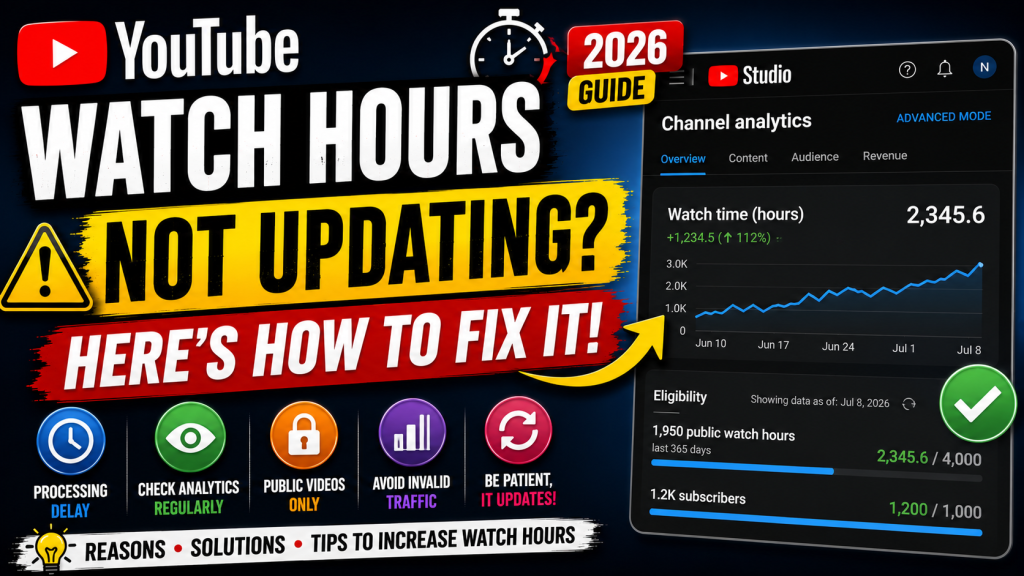
Have you noticed that your YouTube watch hours haven’t updated even though your videos are getting views? You’re not alone. This is one of the most common concerns among creators working toward YouTube monetization.
In many cases, watch hours don’t update instantly. YouTube processes watch time data in stages, and there can be delays before the numbers shown in YouTube Studio or the monetization progress page reflect your latest activity.
This guide explains why YouTube watch hours may not be updating, how the system works, and what you can do if the delay continues.
Why Are My YouTube Watch Hours Not Updating?
There are several possible reasons:
- Analytics processing delay
- Recently uploaded videos
- Invalid traffic filtering
- Public watch hours not yet calculated
- Temporary YouTube server issues
- Videos set to Private or Unlisted
- Views still under verification
- Monetization progress page updating more slowly than Analytics
In most situations, the issue resolves automatically.
What Counts Toward Public Watch Hours?
Only eligible public watch time counts toward YouTube Partner Program requirements.
Generally, watch hours from public long-form videos contribute toward the public watch hour requirement, while certain other types of viewing may not. YouTube’s eligibility requirements can change over time, so always review the latest Partner Program information.
Fix 1: Wait 24–72 Hours
The most common reason is simply processing time.
YouTube Analytics often updates before the public watch hours shown on the monetization page.
Many creators see delays ranging from one to several days.
Fix 2: Check YouTube Studio Analytics
Open:
YouTube Studio → Analytics → Overview
Compare:
- Views
- Watch Time (Hours)
- Estimated Revenue (if monetized)
If Analytics is updating but the monetization progress page isn’t, the system may still be processing your eligible watch hours.
Fix 3: Verify That Your Videos Are Public
Private videos don’t count toward public watch hours.
Check:
- Public
- Unlisted
- Private
Only eligible public content contributes to the public watch hour requirement.
Fix 4: Check for Invalid Traffic
If YouTube detects invalid traffic, some views or watch time may not be counted while traffic quality is being evaluated.
Avoid:
- Buying views
- Click exchanges
- Artificial traffic
- Bot traffic
Focus on genuine audience growth.
Fix 5: Wait for Views to Be Verified
YouTube verifies views before adding them permanently.
Large increases in views may require additional processing time.
Fix 6: Review Copyright Status
Some copyright-related restrictions can affect how content is used or monetized.
Review your videos for:
- Copyright Claims
- Copyright Strikes
- Community Guidelines issues
While a copyright claim doesn’t automatically prevent watch time from counting, resolving policy issues is important for overall channel health.
Fix 7: Check the Earn Page
Open:
YouTube Studio → Earn
This page shows your progress toward YouTube Partner Program eligibility.
Keep in mind that this page may update more slowly than the Analytics section.
Fix 8: Make Sure You’re Looking at the Correct Metric
Some creators confuse:
- Total Watch Time
- Public Watch Hours
- Lifetime Watch Time
These are different metrics.
The monetization page focuses on eligible public watch hours, not every minute watched on your channel.
Fix 9: Keep Uploading Consistently
Continue publishing quality content while the system updates.
Consistent uploads help maintain audience engagement and provide more opportunities to earn eligible watch hours.
Fix 10: Contact Creator Support (If Eligible)
If your watch hours haven’t updated for an extended period and you have access to YouTube Creator Support, you can ask them to review the issue.
Provide:
- Channel URL
- Screenshots
- Dates
- A clear explanation of the issue
Common Myths
Myth: Watch hours update instantly.
Fact: They often take time to process.
Myth: Every view counts toward monetization.
Fact: Only eligible public watch time counts toward public watch hour requirements.
Myth: Deleting videos fixes watch hour problems.
Fact: Deleting videos may remove accumulated watch time associated with those videos.
Myth: Refreshing YouTube Studio updates the hours.
Fact: Processing occurs on YouTube’s servers and isn’t affected by refreshing the page.
Tips to Increase Watch Hours
- Publish longer, valuable videos.
- Improve audience retention.
- Create playlists.
- Upload consistently.
- Use compelling thumbnails and titles.
- Encourage viewers to watch additional videos.
- Focus on quality rather than artificial growth methods.
Frequently Asked Questions
How often do YouTube watch hours update?
Analytics may update several times a day, while public watch hour progress for monetization can take longer.
Why do my views increase but not my watch hours?
Views and eligible public watch hours are processed differently. Delays or eligibility rules can cause temporary differences.
Do Shorts watch hours count?
Shorts have separate eligibility pathways for the YouTube Partner Program. Standard public watch hour requirements primarily apply to eligible long-form public videos.
Can invalid traffic affect watch hours?
Yes. If YouTube identifies traffic that doesn’t meet its quality standards, some views or watch time may not be counted.
Final Thoughts
Delays in YouTube watch hour updates are usually temporary and don’t necessarily indicate a problem with your channel. Continue creating quality public content, monitor your analytics, and avoid shortcuts such as purchased views or artificial traffic.
If the delay persists for an unusually long time and you meet the requirements for Creator Support, consider contacting YouTube through the official support channels with clear information about your issue.



Leave a Reply