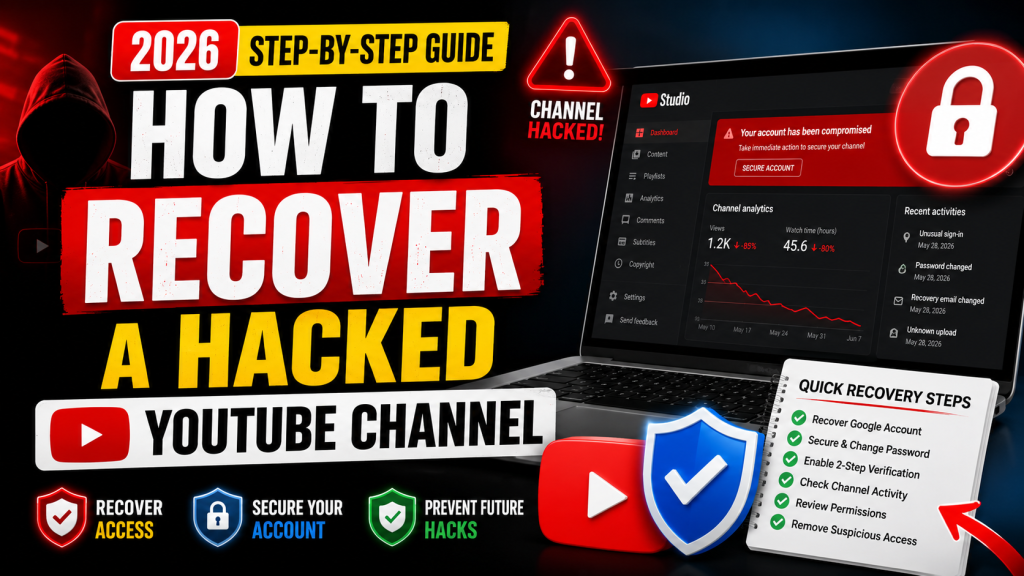
Losing access to your YouTube channel can be one of the most stressful experiences for any creator. Whether your Google account was compromised, your channel was hijacked, or videos were deleted without your permission, acting quickly can significantly improve your chances of recovering everything.
In this guide, you’ll learn how to recover a hacked YouTube channel in 2026, secure your Google account, and prevent future attacks.
Signs Your YouTube Channel Has Been Hacked
If you notice any of the following, your account may have been compromised:
- You can’t sign in to your Google account.
- Your password has changed without your knowledge.
- Your recovery email or phone number has been changed.
- Videos have been uploaded or deleted without your permission.
- Your channel name, profile picture, or description has changed.
- Live streams promoting cryptocurrency or scams appear on your channel.
- You receive security alerts from Google about suspicious sign-in activity.
If any of these occur, begin the recovery process immediately.
Step 1: Try Signing In to Your Google Account
Visit the Google Account sign-in page and attempt to log in using your email address.
If your password doesn’t work, select Forgot Password and follow Google’s recovery steps.
You may be asked to verify:
- Your recovery email
- Your phone number
- A previous password
- A trusted device
- Your location
Provide as much accurate information as possible.
Step 2: Recover Your Google Account
Since YouTube channels are linked to Google Accounts, recovering the Google account is the first priority.
During account recovery:
- Answer every question honestly.
- Avoid skipping verification steps.
- Use a familiar device and location if possible.
- Be patient if multiple verification attempts are required.
Step 3: Check Your Security Settings
Once you regain access:
Immediately review:
- Password
- Recovery email
- Recovery phone number
- Two-Step Verification
- Passkeys
- Trusted devices
- Connected apps
Remove anything you don’t recognize.
Step 4: Change Your Password Immediately
Create a strong password that includes:
- Uppercase letters
- Lowercase letters
- Numbers
- Special characters
Avoid reusing passwords from other websites.
A password manager can help generate and store secure passwords.
Step 5: Enable Two-Step Verification
Two-Step Verification adds an extra layer of protection.
Even if someone knows your password, they’ll also need access to your second verification method before they can sign in.
This is one of the most effective ways to protect your YouTube channel.
Step 6: Review YouTube Studio
Open YouTube Studio and inspect your channel.
Check for:
- Deleted videos
- Unlisted videos
- Unauthorized uploads
- Live streams
- Playlist changes
- Channel branding changes
- Community posts
- Shorts
Delete any content you didn’t create.
Step 7: Review Permissions
If your channel has multiple managers or editors:
Review all channel permissions.
Remove anyone you don’t recognize.
Also check Brand Account permissions if your channel uses one.
Step 8: Check Connected Third-Party Apps
Many YouTube hacks occur through unsafe browser extensions or third-party tools.
Review:
- Connected apps
- Browser extensions
- Video editing tools
- Automation software
- AI publishing tools
Remove access for anything suspicious or unused.
Step 9: Scan Your Computer for Malware
Hackers often steal browser cookies using malware.
Run a full antivirus scan before logging in again.
Also:
- Update your browser
- Update Windows
- Remove suspicious software
- Clear saved browser sessions if necessary
Step 10: Contact YouTube Creator Support
If you cannot recover your account through Google’s recovery process, contact YouTube Creator Support as soon as possible.
Provide:
- Channel URL
- Email address
- Approximate date of compromise
- Screenshots of suspicious activity
- Any recovery attempts you’ve already made
The more information you provide, the easier it is for the support team to investigate.
How to Prevent Future Hacks
Follow these security best practices:
- Enable Two-Step Verification.
- Use a unique password for your Google account.
- Never share verification codes.
- Keep your recovery information updated.
- Avoid downloading unknown software.
- Install updates regularly.
- Review account activity every month.
- Remove unused third-party app access.
- Be cautious of phishing emails and fake sponsorship offers.
Frequently Asked Questions
Can a hacked YouTube channel be recovered?
Yes. If you act quickly and complete Google’s account recovery process, many hacked channels can be successfully recovered.
How long does YouTube recovery take?
Recovery times vary. Some accounts are restored within hours, while others may take several days depending on the verification process.
Will I lose my subscribers?
In most cases, your subscribers remain intact. However, videos or channel settings changed by an attacker may need to be restored manually after you regain access.
Can hackers bypass Two-Step Verification?
Two-Step Verification greatly improves account security, but no method is foolproof. Phishing attacks, stolen session cookies, or malware can still compromise an account. Staying alert and keeping your devices secure are important additional safeguards.
Final Thoughts
A hacked YouTube channel can be alarming, but taking immediate action gives you the best chance of recovery. Focus first on regaining access to your Google account, then secure every aspect of your account by changing your password, enabling Two-Step Verification, reviewing connected apps, and checking your channel for unauthorized changes.
Building good security habits today can help protect your channel, your content, and your audience in the future.



Leave a Reply